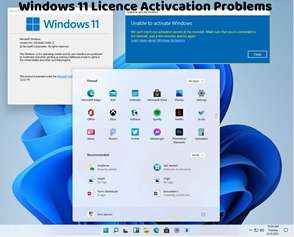
How to Recover a Lost Digital License Key for Windows 11
Losing your digital license key for Windows 11 can be stressful, but there are steps you can take to recover it and ensure that your operating system remains properly activated. In this article, we'll explore methods to recover a lost digital license key and regain access to your Windows 11 activation.
Check Account Information: If you've linked your digital license to your Microsoft account, you can retrieve the license key by signing in to your account. Go to account.microsoft.com/licenses to view a list of all your digital licenses associated with your account.
Check Email: If you purchased a digital license from the Microsoft Store or an authorized retailer, check your email for the purchase confirmation. The license key may be included in the purchase receipt or confirmation email.
Contact Support: If you're unable to retrieve your digital license key through your Microsoft account or email, consider contacting Microsoft Support for assistance. Provide them with any relevant information, such as proof of purchase or account details, to help them locate and recover your license key.
Check System Information: In some cases, your digital license key may be stored in the system information of your computer. Use third-party software or built-in tools like Command Prompt to retrieve the license key from your system.
Check Product Packaging: If you purchased a physical copy of Windows 11 that included a product key card or packaging, check the packaging for the license key. It may be printed on a sticker or included as a card inside the box.
Check Previous Installations: If you've previously installed Windows 11 on another device, the license key may still be accessible on that device. Use third-party software or system utilities to extract the license key from the old installation.
By following these methods, you can recover a lost digital license key for Windows 11 and ensure that your operating system remains properly activated. It's essential to keep track of your license key and store it in a secure location to avoid future loss or inconvenience.
If you encounter any difficulties during the license key recovery process, consider contacting Microsoft Support for further assistance. They can provide personalized support and guidance to help you recover your lost license key and ensure that your Windows 11 activation is restored.