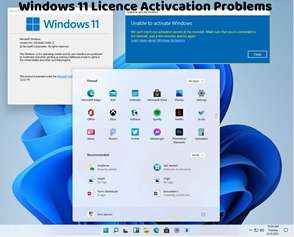
Windows 11 Activation Troubleshooter: How to Use and Resolve Activation Issues
The Windows 11 Activation Troubleshooter is a built-in tool designed to diagnose and fix common activation problems. In this article, we'll explore how to use the Activation Troubleshooter and resolve activation issues effectively.
Accessing the Activation Troubleshooter:
Go to Settings by clicking on the Start menu and selecting the gear icon.
In the Settings window, navigate to Update & Security.
Click on Activation in the left sidebar.
Under Activation, you'll find the option to troubleshoot activation issues. Click on "Troubleshoot" to launch the Activation Troubleshooter.
Running the Activation Troubleshooter:
Once the Activation Troubleshooter is launched, it will begin scanning your system for activation issues.
Follow the on-screen prompts to proceed with the troubleshooting process.
The troubleshooter will attempt to detect and fix any common activation problems automatically.
Resolving Activation Issues:
Depending on the issues detected, the Activation Troubleshooter may provide different solutions.
It may attempt to reapply your product key, reactivate Windows, or address other activation-related issues.
Follow the instructions provided by the troubleshooter to resolve the detected problems.
Restart Your Computer:
After the troubleshooting process is complete, it's recommended to restart your computer to apply any changes made by the Activation Troubleshooter.
Restarting your computer ensures that any fixes implemented during the troubleshooting process take effect.
Verification:
Once your computer restarts, go back to Settings > Update & Security > Activation to verify if Windows 11 is activated successfully.
If the activation issues persist, consider running the Activation Troubleshooter again or exploring other troubleshooting methods.
By using the Windows 11 Activation Troubleshooter, you can quickly diagnose and resolve common activation problems without the need for advanced technical knowledge. If you encounter persistent activation issues that cannot be resolved using the troubleshooter, consider contacting Microsoft Support for further assistance and guidance. They can provide personalized support to help you activate Windows 11 successfully and ensure a smooth user experience.