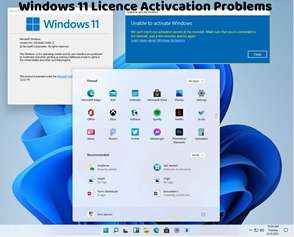
How to Fix 'Windows 11 Activation Error 0x8007007E'
Encountering the Windows 11 activation error code 0x8007007E can be frustrating, as it indicates an issue with activating your operating system. This error typically occurs when there's a problem with the Windows Update service or when certain system files are missing or corrupted. Here's how to troubleshoot and fix this activation error:
Run Windows Update Troubleshooter:
Open Settings and navigate to Update & Security > Troubleshoot.
Click on "Additional troubleshooters."
Find and run the "Windows Update" troubleshooter to automatically detect and fix any issues related to Windows Update.
Check System File Integrity:
Open Command Prompt as an administrator.
Type the following command and press Enter:
bash
Copy code
sfc /scannow
This command will scan your system for corrupted system files and attempt to repair them automatically.
Reset Windows Update Components:
Open Command Prompt as an administrator.
Type the following commands one by one and press Enter after each:
arduino
Copy code
net stop wuauserv
net stop cryptSvc
net stop bits
net stop msiserver
Ren C:\\Windows\\SoftwareDistribution SoftwareDistribution.old
Ren C:\\Windows\\System32\\catroot2 Catroot2.old
net start wuauserv
net start cryptSvc
net start bits
net start msiserver
This will stop the Windows Update service and other related services, rename the SoftwareDistribution and Catroot2 folders (which are used by Windows Update), and then restart the services.
Check Internet Connection:
Ensure that your device is connected to the internet and that there are no connectivity issues that may prevent Windows from accessing the necessary services.
Restart Your Computer:
Sometimes, a simple restart can resolve activation-related issues. Restart your computer and check if the error persists.
Contact Microsoft Support:
If you continue to encounter the "Windows 11 Activation Error 0x8007007E" after trying the above steps, consider contacting Microsoft Support for further assistance. They can provide personalized support and guidance to help you resolve the activation error.
By following these troubleshooting steps, you can effectively address the Windows 11 activation error 0x8007007E and activate your operating system successfully. It's crucial to ensure that your system is updated and that there are no corrupted system files hindering the activation process. If you continue to experience activation issues or require additional assistance, don't hesitate to seek help from Microsoft Support or consult with a knowledgeable individual for further guidance.