
7 min read · Updated: 2026-10-12
If you want your business to show up in Google search, you need a straightforward plan that covers listing your company, verifying ownership, and presenting accurate details. This guide walks through practical steps any tech-minded reader can follow, without promising quick miracles. You’ll learn how to prepare, submit, and monitor your presence so users can find you when they search.
The process starts with a solid foundation: a consistent business name, address, and phone number (NAP) across every platform. Next, claim your Google Business Profile and fill out every field that matters to tech users, such as service areas, hours, and categories. Finally, optimize your listing with high-quality images and thoughtful responses to reviews to build trust.
Throughout, expect a few deliberate checks: ensure your website links from the profile are live, keep data synchronized on updates, and monitor performance through simple analytics. The goal is a clear, accurate snapshot of your business in Google search that supports both discovery and credibility.
- To appear in Google search, create and verify a Google Business Profile for your company, ensuring data is accurate, consistent, and complete.
- Fill out essential fields, optimize descriptions, and add visuals that reflect your tech focus, then monitor and update regularly.
- Verify each location if you operate multiple sites and keep server links, contact methods, and hours current to maintain trust and visibility.
Basics of listing a company
Create a business profile
Start by signing into Google Business Profile and creating a new listing for your company. Use a precise, consistent name and primary category that matches your offerings. This makes it easier for Google to relate your site and services to relevant searches. list your company in the USA is a phrase that should appear naturally within the first H2 and guide readers on how to begin the listing process.
Add the physical address if you operate locally, or mark as service area if you’re remote. Upload a logo and a cover photo that clearly represents your tech focus and equipment. These visuals set expectations for tech readers who value clarity and professionalism.
Review all details for accuracy, then submit for verification. Verification methods vary but commonly involve a postcard or phone call to confirm you own the business location. Once verified, you can manage updates via the dashboard.
- Use the exact legal business name as registered
- Choose a primary tech category (e.g., software company)
- Prepare a local address or service area
- Upload a clean logo and a professional photo
- Verify promptly to unlock full editing access
Optimize passively helpful data
Beyond basics, fill fields that help users understand what you offer. Include a concise business description focusing on your tech strengths, such as AI tools, cybersecurity services, or software development. Keep it readable and free of jargon.
Add product or service details, pricing if appropriate, and links to your site or support pages. Use consistent naming across posts to help Google connect related content, services, and articles.
Regularly check hours, addresses, and contact methods. Seasonal changes or remote work patterns can confuse users if the data isn’t updated promptly.
Verification and visibility options

Choose a verification method
Google offers several verification methods, with postcard verification being common for physical locations. This confirms you control the business address shown in the listing. A useful resource on this topic: USA news.
- Using a generic contact number that isn’t monitored
- Verifying only one location for a multi-location business
- Skipping updates after changes to hours or services
Phone or email verification is available for some businesses and regions. These faster methods shorten the time to live in your profile, but may require ongoing checks to maintain status.
If your business has multiple locations, verify each one to keep listings distinct and prevent misassociation with other firms.
- Postcard verification usually takes a few days
- Phone verification speeds up setup
- Ensure each location is claimed separately
- Keep contact details consistent across locations
Maintaining listing health
Regularly review customer photos and respond to reviews in a timely, professional manner. This signals that you value feedback and maintain active engagement with customers.
Monitor questions and answers on the profile; provide clear responses that help users understand your tech capabilities and support options.
Update posts or offers to highlight new tools, services, or tech events. Fresh content helps your listing stay relevant in search results.
- Respond to reviews calmly and helpfully
- Answer common questions with precise details
- Keep photos fresh and representative
- Post updates about new tech offerings
How to showcase tech relevance
Highlight core capabilities
Describe your primary tech strengths in a way that matches searches tech readers use. Use keywords that reflect AI, cybersecurity, cloud services, or development practices, but avoid stuffing. A useful resource on this topic: post your event in the USA.
Create service areas that reflect where you can support clients, even if you work remotely. This helps Google map your capabilities to user intent in different regions.
Link to case studies or technical resources on your site to demonstrate real-world application of your tech skills.
- State your niche clearly
- Map services to regions you serve
- Provide technical documentation or guides
- Avoid generic phrases and focus on outcomes
| Option | Pros | Cons |
|---|---|---|
| Direct listing on Google | Fast control, organic visibility | Limited to Google ecosystem |
| Third-party business directories | Broader reach | Some listings may require ongoing maintenance |
| Your own website optimization | Full control, richer data | Requires ongoing SEO effort |
Leveraging rich content
Use high-quality images of hardware, labs, or team members to convey capability. Visuals help users assess whether your tech aligns with their needs.
Publish posts or updates about product launches, tool integrations, or security improvements. Rich content prompts engagement and clarifies what you offer.
Collaborate with tech events or communities by sharing relevant content on your listing and your site to increase visibility.
- Photos of your workspace and team
- Updates about tools and security practices
- Events or meetups related to your field
Monitor and adjust based on user interactions: notes from reviews, common questions in Q&A, and which services get clicked most.
Advanced listing management
Optimizing profile details
Start with a complete profile: fill every field Google prompts you with, from name and category to hours and contact details. Precision reduces confusion for both customers and search algorithms. Regularly review for accuracy as business information changes. A useful resource on this topic: rooms and property to rent in the USA.
Use consistent branding across all platforms to avoid conflicting signals. Ensure your description emphasizes your tech strengths, services, and target audience. Avoid jargon that hides your core offering.
Monitor and adjust based on user interactions: notes from reviews, common questions in Q&A, and which services get clicked most. Small tweaks can improve click-through without altering core capabilities.
- Complete all fields
- Ensure brand consistency
- Respond to reviews
- Update hours promptly
- Utilize description for scope
Integration with other platforms
Syncing with social and maps
Linking your Google listing to social profiles and map apps helps users find and verify your tech business quickly. Consistency across platforms reinforces trust and improves local search signals. Make sure the primary address and service areas match what’s on social pages. place an obituary in the USA
Set up product catalogs or service lists where supported, so potential customers see concrete capabilities at a glance. This reduces head-scratching and speeds decisions for tech buyers.
Test the flow periodically by simulating a search from a typical user device. Confirm that clicks lead to the correct landing pages and contact options rather than outdated bookmarks.
- Connect social profiles
- Verify map pins
- Sync product catalogs
- Match service areas
- Test user flow
Performance tracking and analytics

Reading your data for action
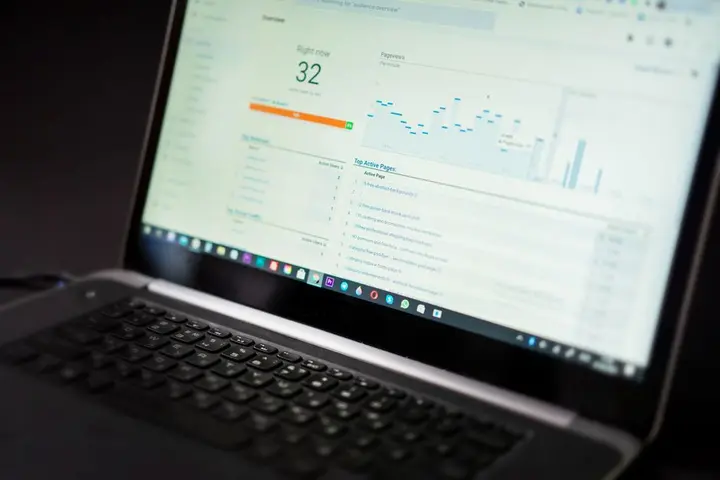
Begin with the basic metrics: profile views, clicks to website, and direction requests to gauge visibility and intent. These numbers help you decide where to invest small tweaks for bigger returns.
Drill into search queries to see which terms trigger your listing. If you notice gaps, tailor your description and posts to address common user questions and pain points in technology services.
Set a simple review habit: monthly checks on new reviews, response times, and sentiment. Use that to refine your messaging and service offers.
- Track views and clicks
- Analyze search terms
- Review and respond to feedback
- Adjust based on insights
Future-proofing your online presence
Sustaining relevance
Digital listings require ongoing care. Schedule quarterly audits of your business details, photos, and service descriptions to reflect evolving tech offerings and certifications.
- ☐ Regularly verify data
- ☐ Leverage evergreen content
- ☐ Stay alert to feature changes
Keep an eye on policy changes and feature updates from Google that affect how profiles display. Adapting early avoids sudden drops in visibility or mismatches with user expectations.
Adopt a scalable content plan: a few evergreen tech topics bundled into posts can keep your listing fresh without heavy maintenance.
- Quarterly audits
- Monitor platform updates
- Create evergreen content
- Plan for scalability
- Maintain accuracy
Frequently asked questions
How long does it take for a listing to appear in search results?
After verification, basic visibility changes can surface within a few hours, but some updates may take a day or two to propagate. If something seems off, recheck core data consistency and verify ownership.
Should I use Google Posts and product listings?
Using Posts and product entries can help highlight ongoing tech capabilities and specializations. Keep posts concise, relevant, and timely, and avoid repetitive updates that do not add value.
Is there a risk in listing multiple locations?
Multiple locations can expand reach if each site serves distinct audiences. Ensure accuracy for each address, hours, and contact method to prevent confusing customers.
What mistakes commonly hurt ranking?
Inaccurate data, inconsistent names or addresses, and neglecting reviews can degrade trust and visibility. Regular updates and prompt response to reviews strengthen credibility.
Next steps for a robust listing
A practical listing lives on accuracy, ongoing updates, and clear value propositions for tech buyers. Start by confirming core data, then plan incremental improvements focused on service clarity and responsiveness.
Schedule a quarterly review of your listing’s content, photos, and performance metrics to identify gaps and opportunities. Use the data to adjust descriptions, add features, and refine calls to action.


